
Overview
When RTSP streaming is enabled, video tracks for live-streaming vehicles will be available via Skydio's External API. RTSP streaming can be enabled by going to Settings > Live Streaming > Live APIs > Toggle on RTSP Streaming:
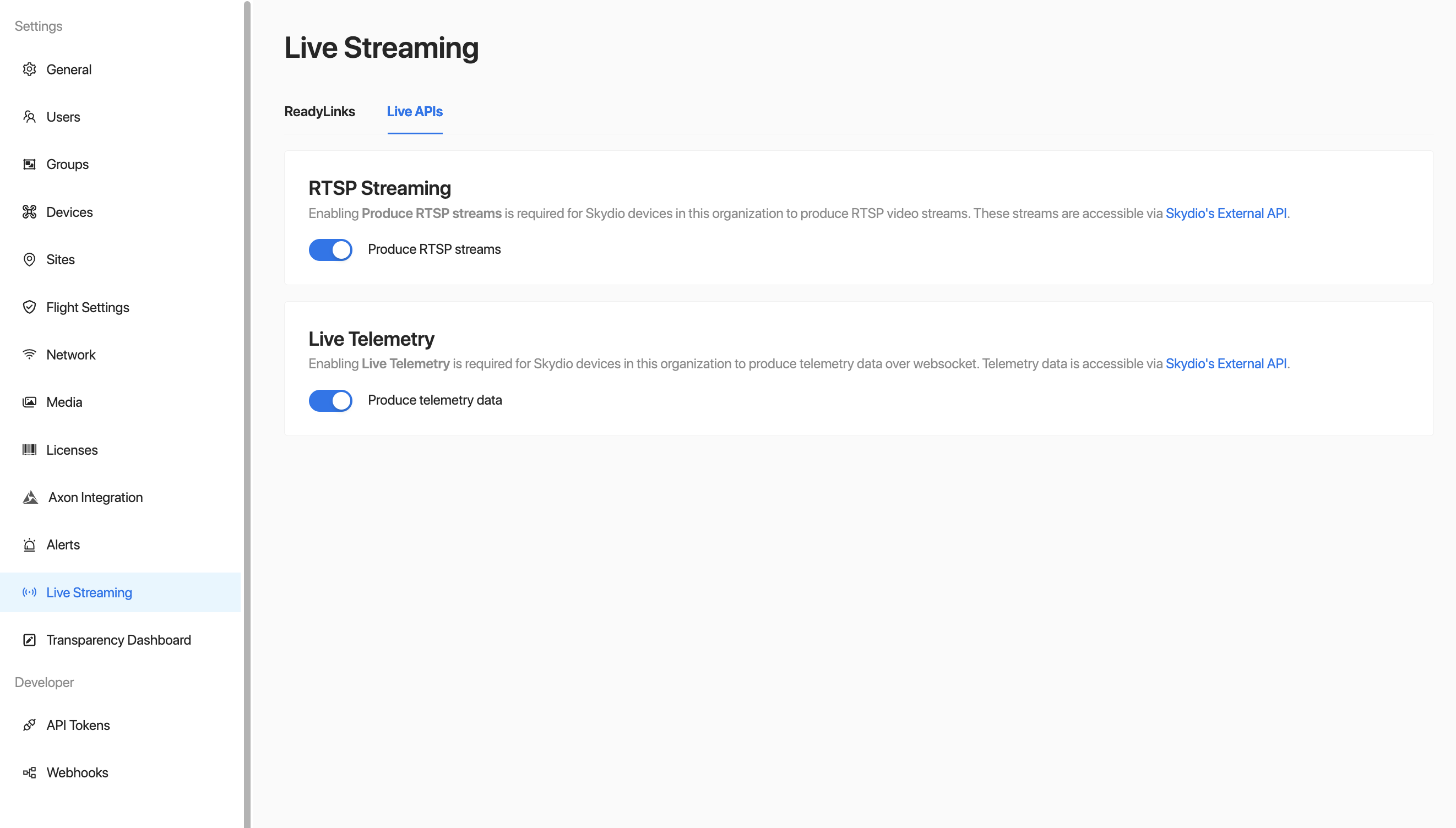
Enabling RTSP Streaming
Once RTSP streaming is enabled, a Streaming card will become visible in Settings > Devices > Vehicles > Select a drone > Connectivity. This card contains the RTSP URLs available for that particular vehicle based on its camera configuration. For example, an X10 vehicle will have 2 URLs available, one for the color camera's stream and another for the thermal camera's stream:
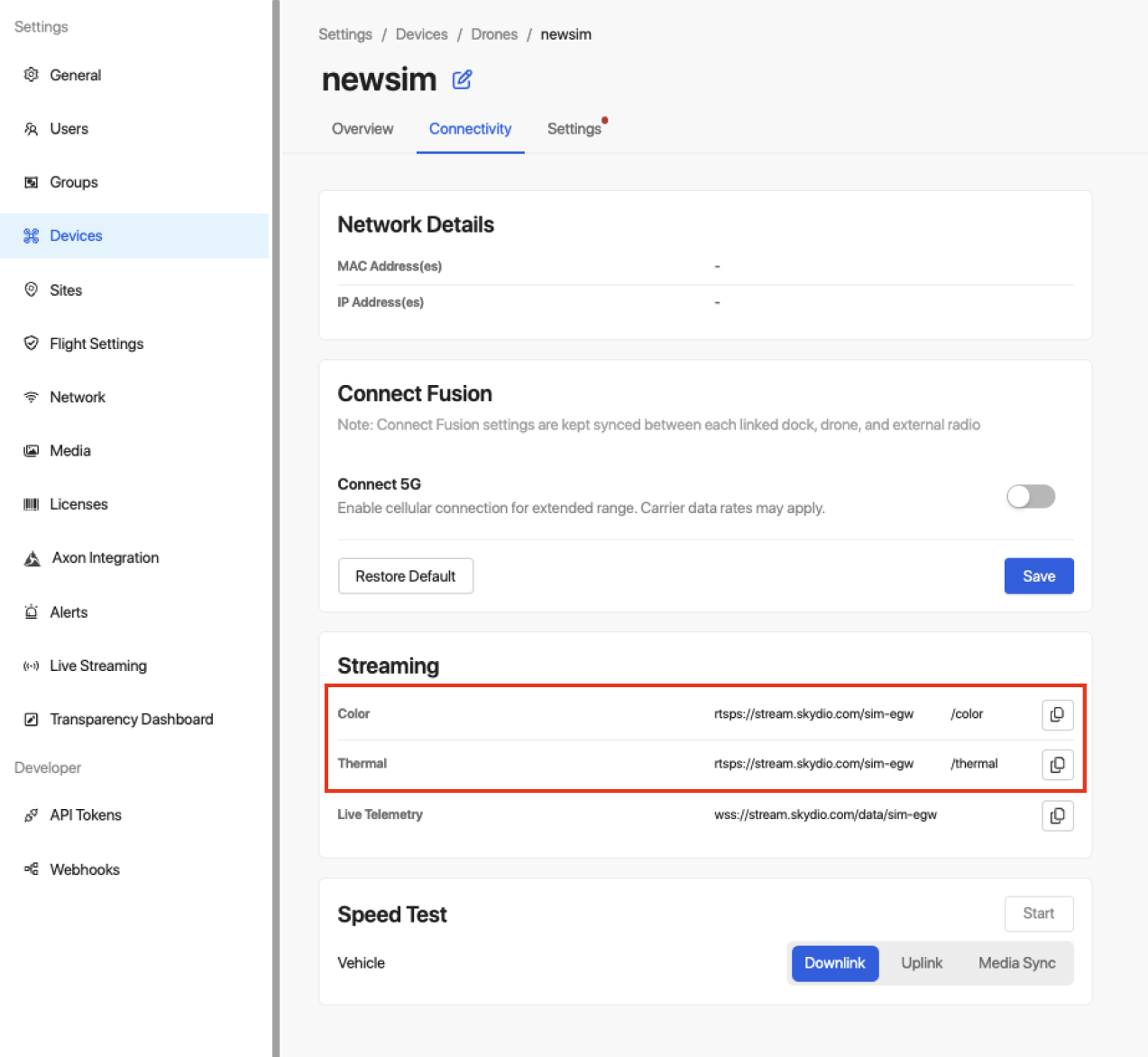
RTSP URLs for Color and Thermal
These URLs will have the following structure:
rtsps://stream.skydio.com/<skydio_serial>/<stream_name>We recommend copying the Skydio Serial directly from the Streaming card as shown above, but it may also be retrieved from the Skydio External API's Vehicles Vehicles endpoints.
The livestream will become active in the following scenarios:
- Remote Operations: whenever the vehicle enters prep, either for a manual flight or mission execution, its stream will start. The stream will continue for the remainder of the flight.
- Standard flights (not remote operations): whenever a live stream is started by the pilot, until the pilot ends it.
A demo stream is also always available for testing purposes, and can be accessed without an API token:
Note that Skydio RTSPS URLs are case-sensitive, and vary depending on your region. URLs can be found on the Vehicle Page -> Settings -> Streaming.
rtsps://stream.skydio.com/demo/Skydio/color
rtsps://stream.skydio.com/demo/Skydio/thermal
Stream Information
Skydio vehicle's RTSP streams:
- are protected by digest authentication and Skydio API Tokens
- are securely encrypted with RTSPS (TCP/TLS)
- are h264 encoded
- are served from port 322 (the well-known port for RTSPS)
- will have variable frame rate, between 10-30 FPS
An RTSP stream will be produced in the following scenarios:
- Remote Operations: whenever the vehicle enters prep, either for a manual flight or mission execution, its stream will start. The stream will continue for the remainder of the flight.
- Standard flights (not remote operations): whenever the stream is started by the pilot, until the pilot ends it
Flight start and stop Webhooks are available through Skydio's External API to determine when drones are in flight.
Connection Example
In Terminal
Skydio vehicle's RTSP streams can be consumed using any RTSP tooling that supports RTSPS and digest authentication. For example, popular tooling like ffmpeg and gstreamer can be used. The following is an example of viewing the thermal stream for an X10 with serial SkydioX10-xxxx using ffplay, which comes bundled with ffmpeg:
ffplay -rtsp_transport tcp \
	rtsps://<api_token_id>:<api_token_secret>@stream.skydio.com/SkydioX10-xxxx/thermal
Please note the API Token Secret and API Token ID are not the same — you will need both for the above. To generate an API token, go to Settings > API Tokens > Generate Token. Give your token a name and ensure it has read-only access to Live Streaming. Upon clicking "Generate", you will be presented the API Token Secret. This can only be copied when the token is first created and will disappear when you navigate away from the page. The API Token ID can be copied at any time.
⚠️ Treat your API Token Secret like a password. Do not share it or expose it in public repositories.
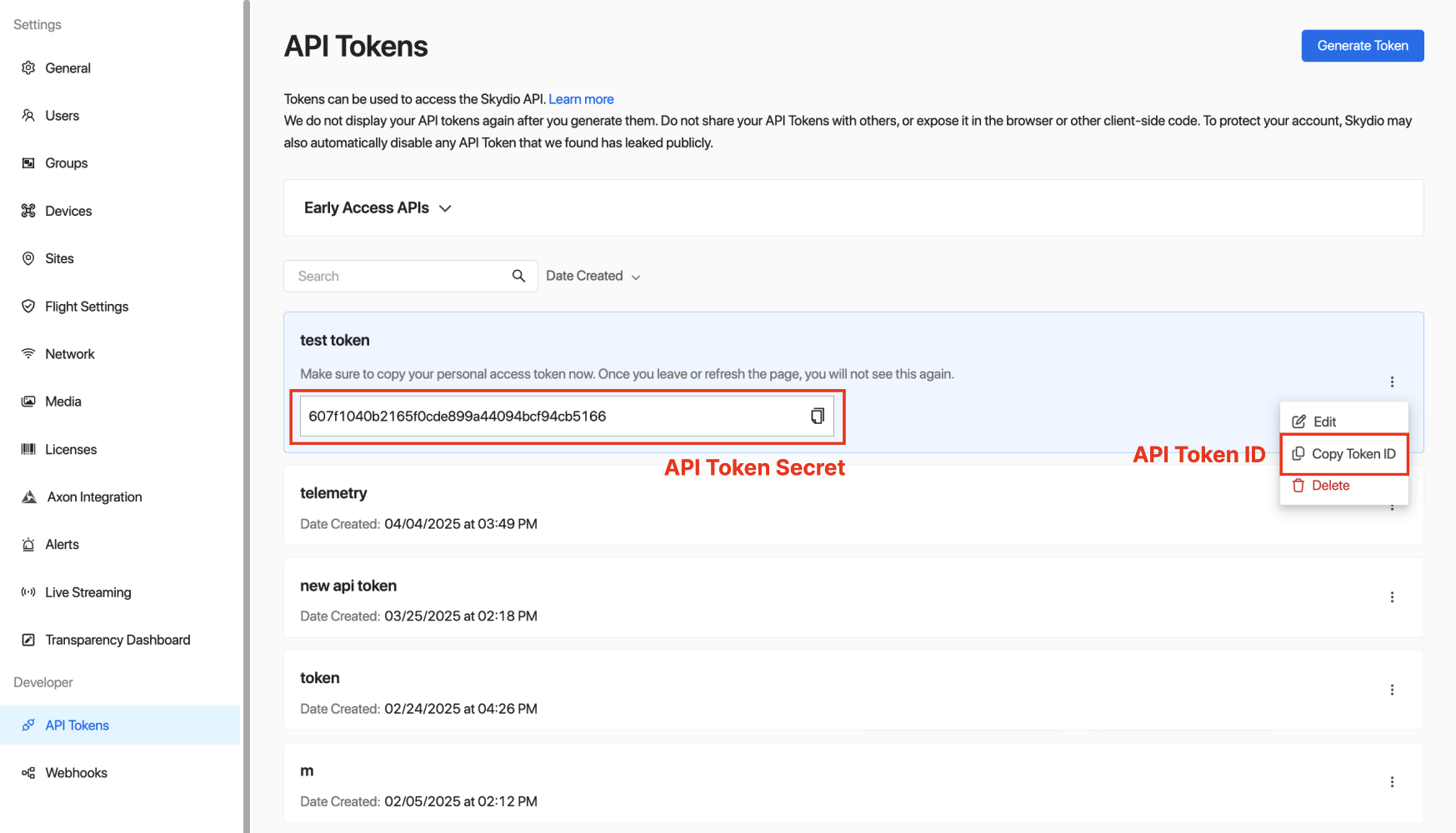
Copying an API Token's ID
In code
Retries need to be implemented in the cases of stream closures, consecutive frame read failures, timeouts in reading frames, etc. Streams may drop when there is low connectivity, and will drop when switching between connectivity modes on an X10. Below is pseudocode for viewing a color stream, with examples of where some errors need to be handled.
STREAM_URL = "rtsps://{API_TOKEN_ID}:{API_TOKEN_SECRET}@stream.skydio.com/SkydioX10-xxxx/color"
cap = cv2.VideoCapture(STREAM_URL, cv2.CAP_FFMPEG)

while True:
  if not cap.isOpened():
    # stream closed, retry if stream is expected to be open

  ret, frame = cap.read()
  if not ret:
    # handle errored frames, retry upon hitting a threshold of errors

  cv2.imshow("RTSP Stream", frame)

cap.release()
cv2.destroyAllWindows()
const streamURL "rtsps://%s:%[email protected]/SkydioX10-xxxx/color"
url := fmt.Sprintf(streamURL, apiTokenID, apiTokenSecret)
window := gocv.NewWindow("RTSP Stream")
defer window.Close()
cap, err := gocv.VideoCaptureFile(url)
if err != nil || !cap.IsOpened() {
// error connecting to stream
}
defer cap.Close()
for {
if !cap.IsOpened() {
// error connecting to stream, retry if stream is expected to be open
break
}
frame := gocv.NewMat()
defer frame.Close()
if ok := cap.Read(&frame); !ok || frame.Empty() {
// handle errored frames, retry upon hitting a threshold of errors
}
window.IMShow(frame)
}
API Example RepoView sample code for connecting to an RTSP Stream in our API Example Repo.